Resin vs FDM for Miniatures: Which Printer Should a Beginner Buy?
Resin printers are the usual choice for detailed 28-32 mm miniatures. FDM is cleaner, simpler and great for terrain. A decision table on detail, mess, ventilation, post-processing and running costs.
DisclosureWe may earn a commission when you buy through links on this site, at no extra cost to you. As an Amazon Associate we earn from qualifying purchases.
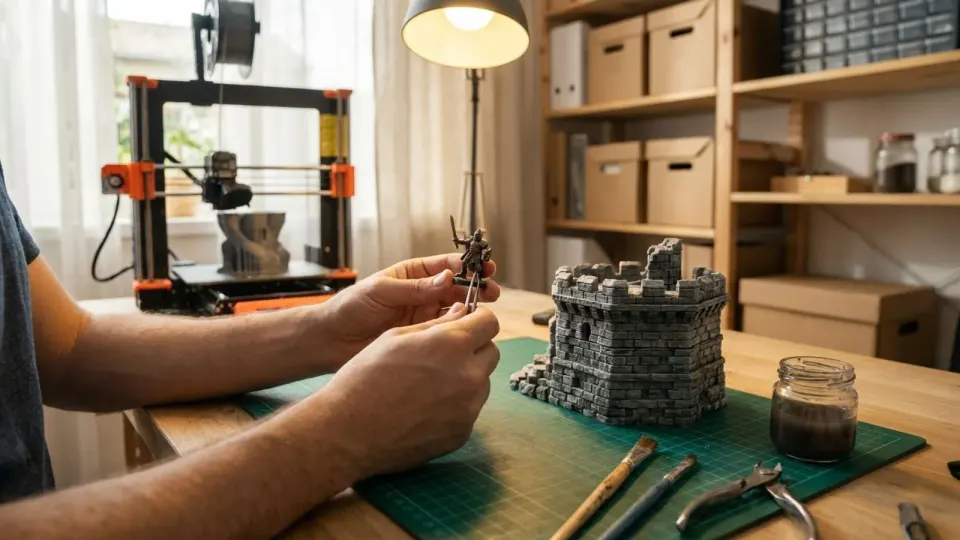
For detailed tabletop miniatures (28-32 mm infantry, faces, thin weapons), a resin printer is the usual choice. The makers’ specs show why: resin printers list XY pixels of 14 to 22 µm and layers down to 0.01 mm, while an FDM printer’s finest line is set by its nozzle, typically 0.4 mm or 0.2 mm. FDM is the better pick for terrain, scenery, vehicles and bases, and for anyone who can’t ventilate a resin setup. FDM is cleaner, with no liquid resin, no IPA and no wash-and-cure step. Many hobbyists end up with both.
Already set on resin? Jump to our best resin printers for miniatures, with the full starter kit.
The decision table
| Resin (MSLA) | FDM (filament) | |
|---|---|---|
| XY detail | Set by screen pixel size: 14-22 µm on the printers below, per their makers | Set by the nozzle: lines at least about as wide as the nozzle, so roughly 0.4 mm (standard) or 0.2 mm (fine nozzle) |
| Layer height | Makers list 0.01 mm minimums (Elegoo, Phrozen; Anycubic’s pages vary) | Bambu Lab’s guidance puts usable layer heights at roughly 20-70% of nozzle diameter, so about 0.04-0.14 mm with a 0.2 mm nozzle |
| Best for | Infantry, characters, faces, fine weapons, busts | Terrain, buildings, scatter, vehicles, bases, display stands, storage |
| Mess | Liquid resin, sticky prints, gloves every time | Filament spools, a few strings and support scraps |
| Ventilation | Makers call for a well-ventilated area; ideally vented outdoors | Still ventilate, but PLA in a normal room is a much simpler start |
| Skin and eye hazard | Resin is a skin and eye irritant and can cause allergic skin reactions (Elegoo resin safety information) | Hot nozzle and bed; no liquid chemical to handle |
| Post-processing | Remove from plate, wash in IPA, dry, UV-cure, remove supports | Remove supports, optional sanding; no wash or cure |
| Waste handling | Uncured resin and used IPA can’t go down the drain | Failed prints and scraps are solid plastic |
| Ongoing consumables | Resin, IPA, nitrile gloves, paper towels; vat film and screen are wear parts makers sell replacements for | Filament; nozzles and build plates wear over time |
| Kids and pets | Resin and IPA must be locked away | Easier to supervise, especially with an enclosed printer |
Why resin wins on small detail
On an MSLA resin printer, each layer is exposed through an LCD screen. The size of one screen pixel is the printer’s XY resolution. On FDM, plastic comes out of a round nozzle, so the finest feature is roughly the width of the line it lays.
What the makers list for the printers we cover:
| Printer | Type | XY detail (per maker) | Layer height (per maker) | Build volume |
|---|---|---|---|---|
| Elegoo Mars 5 Ultra | Resin, 7” 9K | 18 µm | 0.01-0.2 mm | 153.36 x 77.76 x 165 mm |
| Anycubic Photon Mono 4 | Resin, 10K-class | 17 x 17 µm | Up to 0.15 mm (Anycubic’s pages list minimums from 0.01 to 0.03 mm) | 153.4 x 87 x 165 mm |
| Phrozen Sonic Mini 8K S | Resin, 7.1” 8K | 22 µm | 0.01-0.30 mm | 165 x 72 x 170 mm |
| Elegoo Saturn 4 Ultra 16K | Resin, 10” 16K | 14 x 19 µm | 0.01-0.2 mm | 211.68 x 118.37 x 220 mm |
| Bambu Lab A1 mini | FDM, open frame | Nozzle-limited: 0.4 mm included, 0.2 mm available | About 20-70% of nozzle diameter (Bambu guidance) | 180 x 180 x 180 mm |
Resin specs from the Elegoo, Anycubic and Phrozen product pages and FAQs. A1 mini specs from Bambu Lab’s tech specs page and wiki.
So on paper, a resin printer’s XY pixel (0.014-0.022 mm) is roughly ten times smaller than even a 0.2 mm FDM nozzle. That’s the main reason miniature painters use resin for characters. Two caveats: pixel size isn’t the whole story (supports, exposure settings, resin and the model all matter), and the “K” number on a resin printer counts pixels across the screen, not detail. Compare microns.
Elegoo Mars 5 Ultra
A 7-inch, 9K resin printer with 18 µm XY pixels, tilt release and an AI camera. Small build plate, sized for miniatures and a desk.
- Screen
- 7 in mono LCD, 9K (8520 x 4320)
- XY resolution
- 18 µm
- Build volume
- 153.36 x 77.76 x 165 mm
Can FDM print miniatures?
Yes, with limits. FDM can print miniatures, especially larger ones (vehicles, monsters, bigger-scale figures), and it’s very good at the things around them: terrain, buildings, scatter, movement trays and storage.
For small infantry, the nozzle is the limit:
- 0.4 mm nozzle (standard). Fine for terrain and larger models. Small faces and thin weapons are where it struggles, simply because the line is wider than the details.
- 0.2 mm nozzle. Halves the line width and allows thinner layers. Bambu Lab sells a 0.2 mm nozzle for the A1 mini (the printer ships with 0.4 mm). Expect longer prints, since each line and layer carries less plastic.
- Material. Bambu’s 0.2 mm nozzle FAQ says its 0.2 mm nozzle is stainless steel and not abrasion resistant, so skip fiber-filled filaments with it. Plain PLA is the usual choice for minis.
Bambu Lab A1 mini
A compact open-frame FDM printer with a 180 mm build cube, made for PLA, PETG and TPU. Bambu also sells it as a Combo with the four-spool AMS lite for multicolor prints.
- Type
- Open-frame bed-slinger FDM printer
- Build volume
- 180 x 180 x 180 mm
- Max hotend temperature
- 300 °C
The A1 mini is a compact, open-frame printer with a 180 mm build cube, made for PLA, PETG and TPU per Bambu Lab. That size suits terrain pieces and vehicles. If you’re thinking about an enclosed FDM machine instead, see our open vs enclosed 3D printer guide.
The mess, ventilation and safety difference
This is where most beginners decide, and it’s not about detail.
- Resin is a chemical process. Elegoo’s resin safety information lists skin irritation, allergic skin reactions and serious eye irritation, and says to wear protective gloves and eye and face protection. Elegoo’s Mars 5 Ultra manual says to run the printer in a well-ventilated area.
- IPA adds its own risk. Formlabs notes isopropyl alcohol is flammable (flash point 12 °C / 53 °F) and should be stored sealed, away from ignition sources.
- Waste can’t go down the drain. Elegoo says its resin is toxic to aquatic life and must be disposed of according to regulations.
- NIOSH covers both technologies in Approaches to Safe 3D Printing (publication 2024-103), with ventilation and source control as the main engineering controls.
FDM isn’t emission-free either, and NIOSH’s guide covers filament printers too. But PLA in a normal room is a much simpler setup than resin. That’s why our apartment resin guide ends with: if you can’t vent resin outdoors, choose FDM.
Post-processing: the hidden time cost
Resin: every print has to come off the plate, be washed in IPA (or water for water-washable resin), dry, and then be UV-cured before you remove the supports and prime it. A wash and cure station makes that tidier. See do you need a wash and cure station?.
FDM: remove the print, snap off supports, maybe sand a little. No solvents, no curing.
If you print a lot, that difference adds up. Resin also needs a cleanup routine after each session: wipe the plate, filter or cover the vat, and deal with paper towels and gloves.
Running costs, without prices
We don’t list prices (they change too often), but the cost structure is different:
- Resin printers use more consumables per print session: resin, IPA, nitrile gloves and paper towels. The vat’s release film and the LCD screen are wear parts that makers sell replacements for. Check your printer’s manual for when to replace them.
- FDM printers mostly use filament. Nozzles and build plates wear over time, but slowly with plain PLA.
- Space is a cost too. Resin needs room for the printer, the wash and cure station, bottles and ventilation. FDM needs the printer and a shelf for spools.
Best printer for Warhammer miniatures (and other tabletop games)
There’s no single best printer, but the pattern for 28-32 mm tabletop armies is clear:
- Infantry and characters, a few at a time: a 7-inch-class resin printer like the Elegoo Mars 5 Ultra (18 µm), Anycubic Photon Mono 4 (17 x 17 µm) or Phrozen Sonic Mini 8K S (22 µm).
- Whole squads per print, or bigger kits: a 10-inch-class resin printer like the Elegoo Saturn 4 Ultra 16K (14 x 19 µm, 211.68 x 118.37 x 220 mm). It also has a resin tank heater that holds resin at 30 °C, per Elegoo, which helps in a cold room.
- Terrain, buildings and bases: an FDM printer like the Bambu Lab A1 mini.
Anycubic Photon Mono 4
A light, compact 10K-class resin printer with 17 x 17 µm pixels. USB only and manual leveling, which keeps it simple.
- Screen
- 10K-class mono LCD, 9024 x 5120
- XY resolution
- 17 x 17 µm
- Build volume
- 153.4 x 87 x 165 mm (Anycubic's FAQ wiki lists 143 x 89 x 165 mm)
Phrozen Sonic Mini 8K S
A 7.1-inch, 8K resin printer from a brand popular with miniature painters, with 22 µm XY resolution and a linear projection LED.
- Screen
- 7.1 in mono LCD, 8K
- XY resolution
- 22 µm
- Build volume
- 165 x 72 x 170 mm (one Phrozen page lists 180 mm height)
Elegoo Saturn 4 Ultra 16K
A 10-inch, 16K resin printer with a heated resin tank, tilt release and auto-leveling. A bigger plate for printing a whole squad at once.
- Screen
- 10 in mono LCD, 16K
- XY resolution
- 14 x 19 µm
- Build volume
- 211.68 x 118.37 x 220 mm
Our best resin printers for miniatures compares these in more depth, with the matching wash stations and the starter kit.
Which one should you buy?
Choose resin if:
- you mostly print small, detailed miniatures,
- you have a room you don’t sleep in where you can vent outdoors,
- you’re fine wearing gloves and cleaning up after every print.
Choose FDM if:
- you mostly want terrain, scenery, vehicles or storage,
- you can’t ventilate a resin setup, or you share the space with young kids or pets,
- you want the simplest first printer.
Choose both, eventually, if you play tabletop seriously. A small resin printer for figures and an FDM printer for terrain is a common pairing.
Next steps: best resin printers for miniatures · can you resin print in an apartment? · best 3D printers for teens and kids (FDM picks) · PLA vs PETG for beginners.
FAQ
Is resin or FDM better for miniatures? For small, detailed miniatures, resin. Resin printers list XY pixels of 14-22 µm, while FDM detail is limited by a 0.2-0.4 mm nozzle. FDM is better for terrain and when you can’t ventilate resin.
Can FDM print miniatures? Yes, especially larger models, vehicles and terrain. With a 0.2 mm nozzle and thin layers, FDM can print small figures, but fine faces and thin weapons are where resin has the edge on paper.
Is a 0.2 mm nozzle good for miniatures? It’s the finest common FDM option. Bambu Lab’s guidance suggests layer heights of about 20-70% of nozzle diameter, so roughly 0.04-0.14 mm with a 0.2 mm nozzle. Bambu’s 0.2 mm nozzle is stainless steel and not meant for abrasive filaments. Prints take longer than with a 0.4 mm nozzle.
What’s the best printer for Warhammer miniatures? For infantry and characters, a 7-inch resin printer like the Elegoo Mars 5 Ultra or Anycubic Photon Mono 4. For printing whole squads at once, a 10-inch printer like the Elegoo Saturn 4 Ultra 16K. For terrain, an FDM printer like the Bambu Lab A1 mini.
Is resin printing safe at home? It can be done with the precautions makers describe: gloves, eye protection and a well-ventilated area, ideally vented outdoors. See our apartment resin guide.
Do resin miniatures need curing? Yes. Every resin print needs washing and UV curing. A wash and cure station is the tidiest way to do it.
Sources
- Elegoo: Mars 5 Ultra product page, Mars 5 series page and user manual; Saturn 4 Ultra 16K product page and spec table (elegoo.com)
- Elegoo: Product Safety Information, photopolymer resin (elegoo.com/pages/product-safety-information)
- Anycubic: Photon Mono 4 product page (anycubic.com, store.anycubic.com) and Photon Mono 4 FAQ (wiki.anycubic.com)
- Phrozen: Sonic Mini 8K S product page and Help Center (phrozen3d.com)
- Bambu Lab: A1 mini tech specs (bambulab.com); A1 mini FAQ, 0.2 mm nozzle FAQ and Bambu Studio layer-height guide (wiki.bambulab.com)
- Formlabs: Introduction to isopropyl alcohol (IPA) (formlabs.com)
- NIOSH: Approaches to Safe 3D Printing (publication 2024-103) and Safe Desktop Vat Photopolymerization 3-D Printing infographic (cdc.gov/niosh)